role
Product designer
focus
Travel & finance
platform
Desktop web
Before this project, both travelers and travel managers relied on the same bulky, disorganized PDF itinerary. Each group was responsible for extracting their own relevant information from the same artifact, despite having very different goals.
As Andavo began building a brand-new mobile app for travelers, a new itinerary experience was created to replace the PDF. This work was designed exclusively around traveler needs.
I was part of the team responsible for transforming the travel manager desktop application, which meant my role began once the traveler itinerary was complete: adapting that experience into something travel managers could use to monitor trips, support travelers, and coordinate with internal teams.
The challenge was not simply to recreate the traveler itinerary on desktop.
Travel managers were being asked to do operational work—tracking trip status, answering questions, resolving issues, and supporting finance—using an experience designed for individuals viewing their own travel.
At the same time, finance teams were relying on the same surface to reconcile costs, despite having entirely different requirements.
How do you translate a traveler-focused itinerary into a desktop experience that supports travel management without breaking parity or overloading the interface?
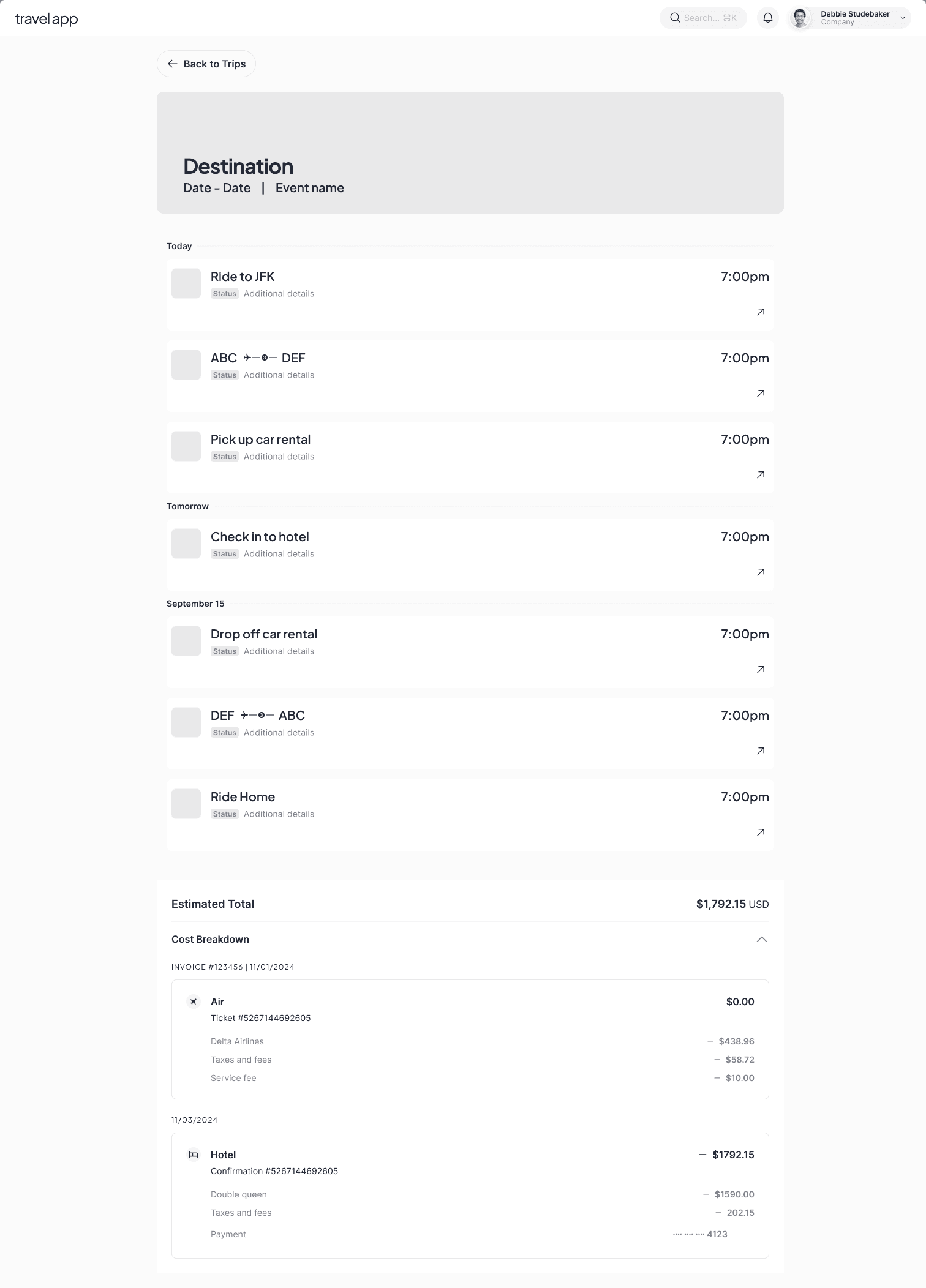
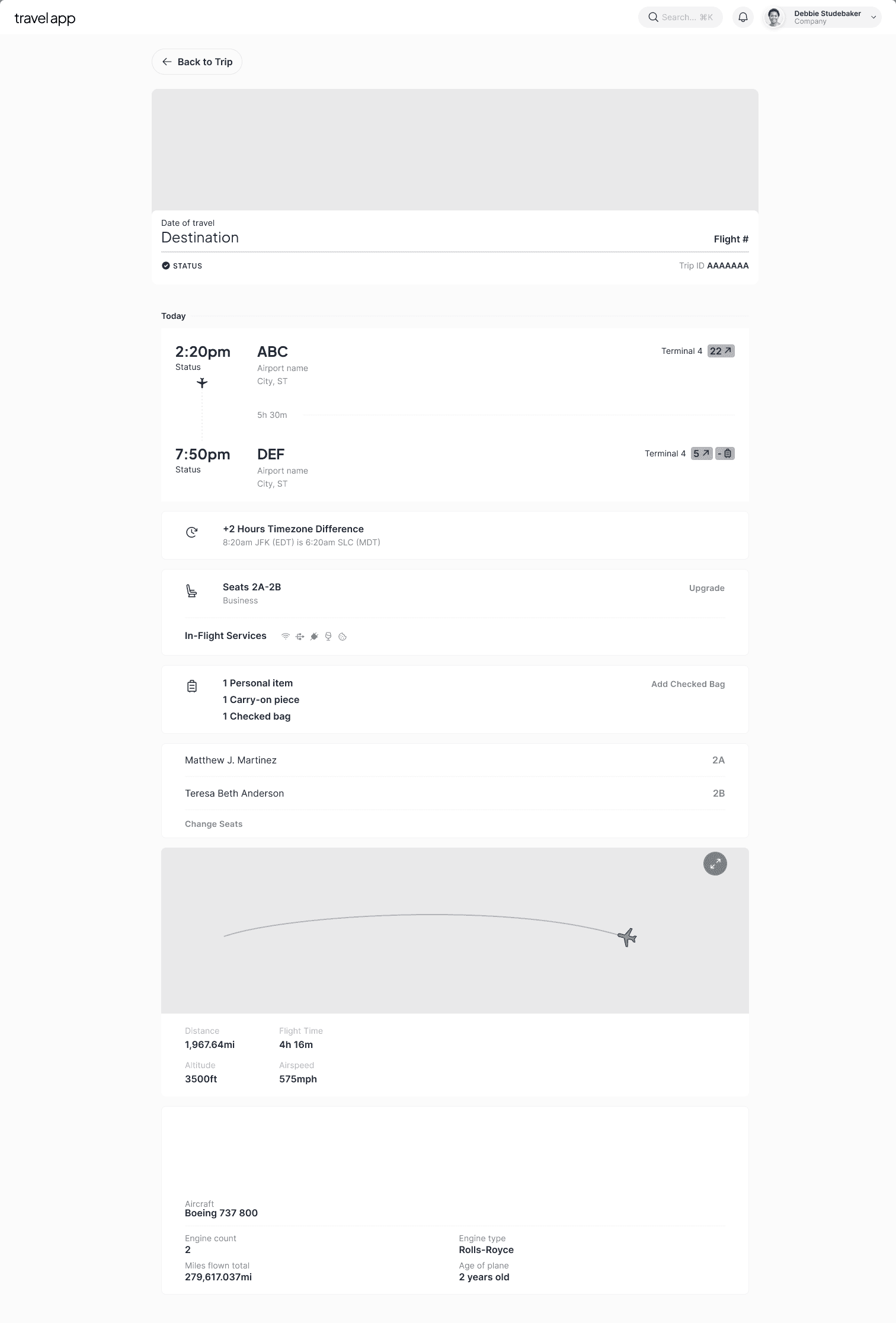
The first desktop iteration closely mirrored the traveler itinerary’s structure and interaction patterns. This approach prioritized consistency and functional completeness.
This version was tested with internal teams including account managers, travel advisors, and operations, as well as externally with travel managers and finance.
While familiar, feedback was consistent: understanding a trip required too much clicking, and important details were fragmented across the page.
What worked for travelers browsing their own trips did not scale to travel managers overseeing many trips at once.

Testing uncovered more than usability issues.
While the immediate feedback focused on clarity and interaction cost for travel managers, research also surfaced something larger:
Finance had distinct, unmet needs that could not be solved within the same interface.
Without testing and user research:
The enhanced travel manager itinerary would not have emerged
Finance requirements would have either been forced into the itinerary—adding clutter—or overlooked entirely
Research made it clear that these were not edge cases, but separate workflows requiring intentional design.
Parity establishes consistency, not usability
Desktop workflows require different structure than mobile browsing.
Travel managers need a flyover view
They want to understand the state of a trip immediately before diving into details.
Finance requires structure, not summaries
Reconciliation demands tabular, traceable data.
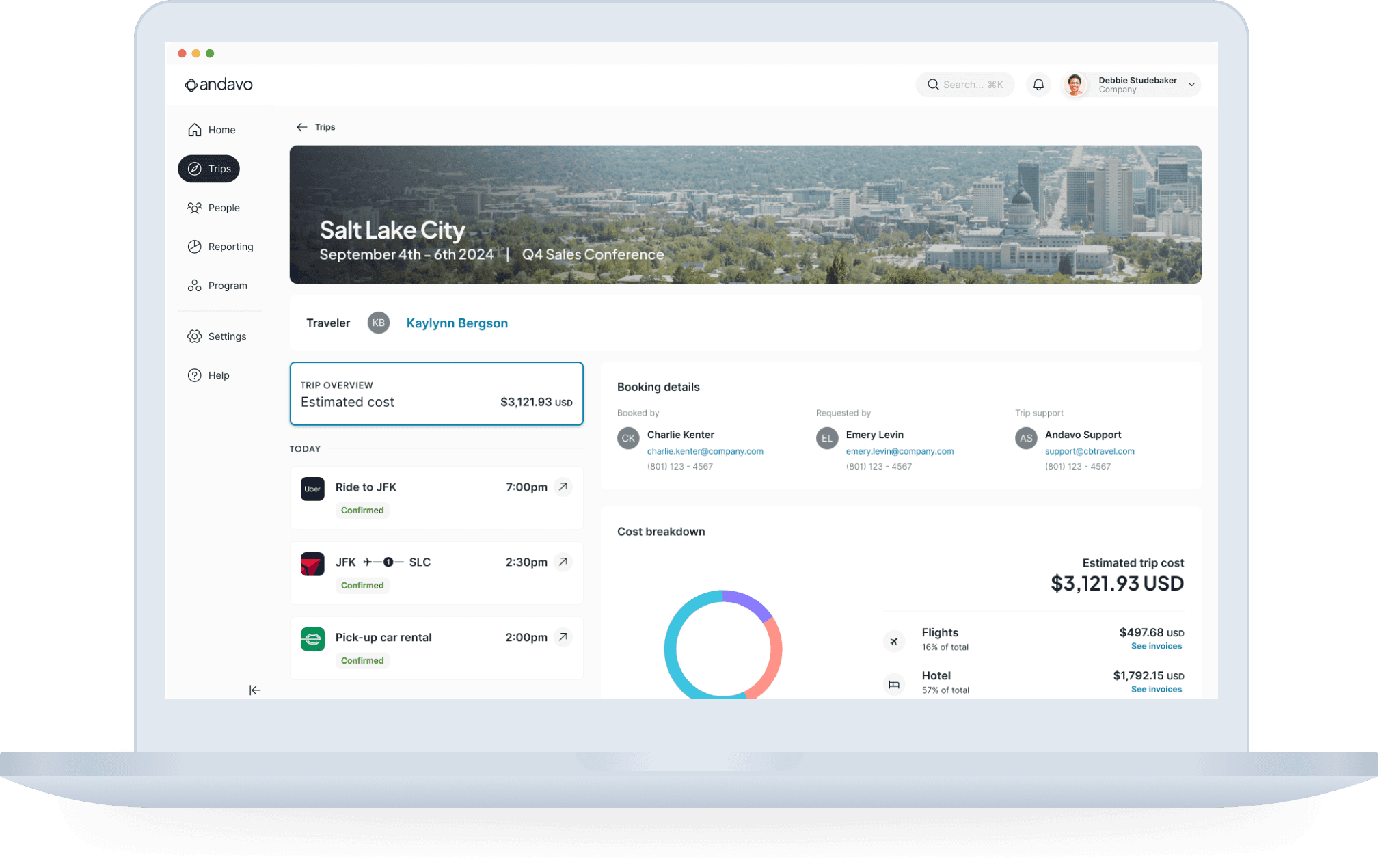
The second iteration intentionally diverged from the mobile layout while preserving shared data and concepts.
The page was restructured to support how travel managers actually work:
A clear trip overview surfaced key information immediately
Navigation remained persistent to reduce reorientation
Detailed information became available without disrupting context
This shift reduced interaction cost and allowed users to move fluidly between scanning and investigation.
itinerary V2
The reconciliation table was not part of the original scope.
It emerged directly from testing and conversations that revealed finance needed structured, reconcilable cost data—something that did not belong in the travel manager’s primary workflow.
Rather than forcing additional complexity into the itinerary, a separate reconciliation interface was created to support accounting needs without compromising the travel manager experience.
This separation protected both workflows instead of diluting either.
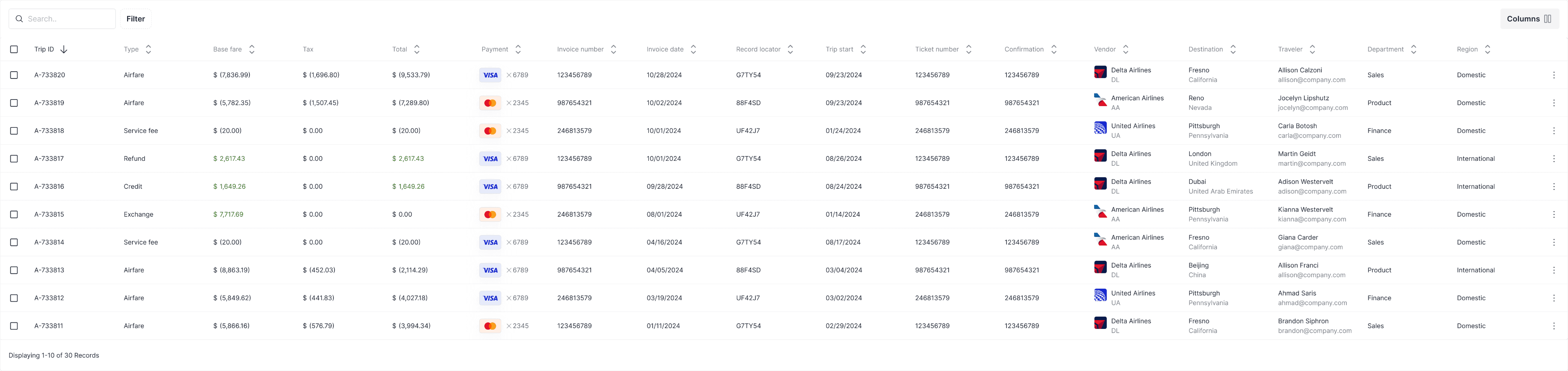
By moving away from a one-size-fits-all approach and addressing the unique needs of travel managers and finance teams, we created a more efficient and user-friendly desktop experience.
The reconciliation table further highlighted how understanding user pain points can lead to innovative solutions that add value for clients.
Olivia Vaughan